
Table des matières:
Introduction
London is one of the most contactless-friendly cities in the world. Whether you’re a tourist or a resident, knowing how to use contactless payment in London can save you time and hassle. From tapping in on the Tube to paying at cafes, contactless is fast, secure, and widely accepted. This guide covers everything you need to know.
What Is Contactless Payment?
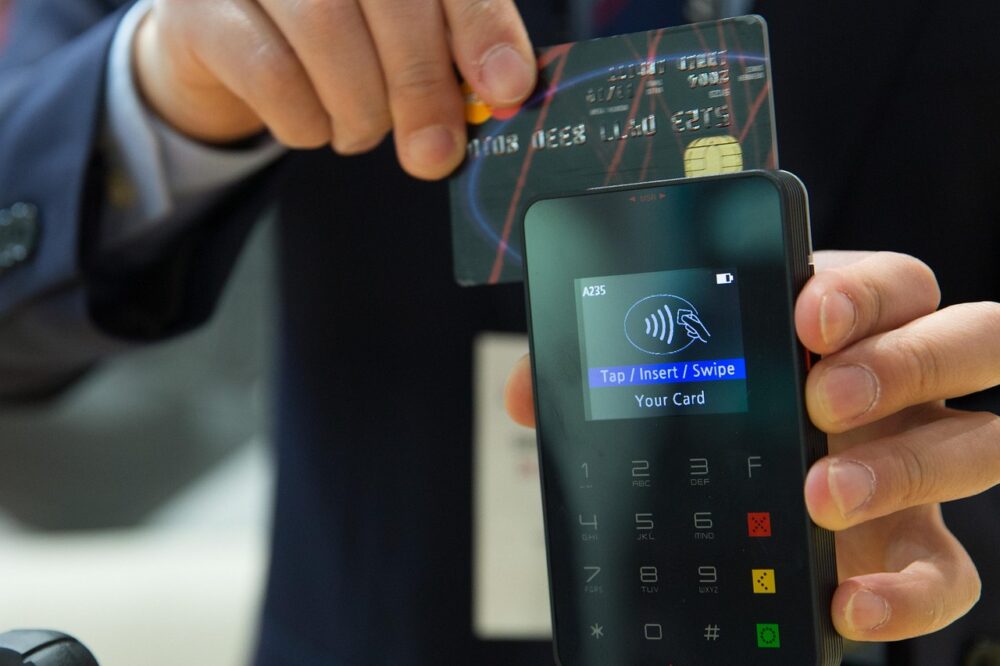
Contactless payment uses near-field communication (NFC) technology. You simply tap your card, phone, or smartwatch on a reader to pay. No PIN needed for small amounts. In London, it’s the preferred method for public transport and most retail.
Where Can You Use Contactless Payment in London?
Public Transport
The Transport for London (TfL) network fully supports contactless. You can use it on:
- London Underground (Tube)
- Buses
- Trams
- London Overground
- DLR (Docklands Light Railway)
- Elizabeth line
- National Rail services within London
For buses, you must tap on when boarding. For trains and Tube, tap in at the start and out at the end of your journey.
Shops and Services
Contactless is accepted almost everywhere: supermarkets, restaurants, pubs, taxis, and even street food stalls. Look for the contactless symbol on the payment terminal.
How to Use Contactless Payment on London Transport
Using a Contactless Card
Simply tap your card on the yellow reader at the ticket gate or on the bus reader. Wait for the green light and beep. Make sure you use the same card for the whole journey to get the best fare.
Using a Mobile Phone or Smartwatch
Add your card to Apple Pay, Google Pay, or Samsung Pay. Hold your device near the reader until you feel a vibration or see a checkmark. No need to open an app.
Tips for Tourists
- Use the same card or device for all journeys to benefit from daily and weekly fare caps.
- Check your bank’s foreign transaction fees before using your overseas card.
- Keep your card or device charged – you can’t use contactless if your battery dies.
Contactless Payment Limits in London
In the UK, the single contactless payment limit is £100. For transport, there is no per-transaction limit, but TfL may ask you to use a PIN if you tap multiple times in a row. Daily and weekly caps apply automatically.
Benefits of Using Contactless in London
- Speed: Faster than buying tickets or using cash.
- Convenience: No need to top up an Oyster card.
- Automatic capping: You never pay more than the daily or weekly limit.
- Security: Card details are encrypted; you can freeze lost cards instantly.
FAQs About Contactless Payment in London
Is contactless cheaper than Oyster?
Both offer the same fares and caps. Contactless is more convenient as you don’t need to top up.
Can I use my foreign card?
Yes, most Visa, Mastercard, and Amex cards work. However, your bank may charge foreign transaction fees.
What if my card is declined?
Try another card or use a mobile payment. If the reader fails, use a ticket machine.
Do I need to tap out on buses?
No, only tap on when boarding. On trains and Tube, tap in and out.
Conclusion
How to use contactless payment in London is simple: tap your card or device on the reader. It’s accepted on all public transport and in most shops. With automatic fare capping and no need for cash, contactless is the smartest way to pay in the capital. Start tapping today and enjoy a seamless London experience.
Photo by AhmadArdity on Pixabay



Great guide! I’m planning a trip to London next month and want to use my phone for contactless payments. Do I need to have a specific app open, or can I just tap with the phone locked?
You can tap with your phone locked if you have Apple Pay, Google Pay, or Samsung Pay set up. Just hold the phone near the reader until you feel a vibration or see a checkmark—no need to open an app. Make sure your phone’s NFC is enabled.
I understand contactless is convenient, but I’m worried about security. What if someone steals my card or phone? Can they make unlimited small payments?
Contactless payments are very secure. For cards, there’s a £100 limit per transaction, and if multiple taps are made, the terminal may ask for a PIN. You can also freeze a lost card instantly via your bank’s app. Phones require biometric authentication (face or fingerprint) for each payment, so a thief can’t use it.
I’m planning a trip to London and want to use my phone for contactless payments. Do I need to have a data connection to tap on the Tube?
No, you don’t need a data connection. Apple Pay, Google Pay, and Samsung Pay use NFC and work offline for payments. Just make sure your device has enough battery.
Can I use my contactless card from the US on London buses? I’ve heard there might be extra fees.
Yes, most US-issued Visa, Mastercard, and Amex cards work on London buses. However, your bank may charge a foreign transaction fee (typically 1-3%). Check with your bank before traveling.
What happens if I tap the wrong card when entering the Tube? For example, I tapped my debit card but then used a different card to tap out.
If you use different cards for entry and exit, TfL will treat them as two separate incomplete journeys. You’ll be charged maximum fares for each. Always use the same card or device for the entire journey.
Is there a daily cap for contactless payments on the Tube? I want to know if I can save money by using contactless instead of buying a day pass.
Yes, contactless has daily and weekly caps that match Oyster card prices. For example, Zone 1-2 daily cap is around £8.50. You never pay more than the cap, so it’s often cheaper than a day pass.
I’ve heard that contactless payments on TfL might be blocked if you tap too many times in a row. Is that true?
Yes, TfL may ask you to use a PIN after several consecutive taps as a security measure. But this is rare and only happens if you tap multiple times quickly. Just follow the on-screen instructions.
I’m planning a trip to London and I have a foreign Visa card. Will I be able to use it on the Tube without any issues?
Yes, most foreign Visa cards work on London transport. Just tap your card on the yellow reader at the gates. However, check with your bank for any foreign transaction fees, and make sure your card is contactless-enabled. Also, always use the same card for all journeys to benefit from fare capping.
I’m visiting London next month and plan to use my contactless credit card from the US. Will I be charged foreign transaction fees, and is there any way to avoid them?
Most US banks charge foreign transaction fees (typically 1-3%). To avoid them, consider a card with no foreign transaction fees, like many travel rewards cards. Also, always pay in local currency (GBP) when prompted to avoid dynamic currency conversion fees.
Can I use Apple Pay on the Tube even if my phone battery dies mid-journey?
If your battery dies after you’ve tapped in, you’ll need to use a different payment method to tap out at the end of your journey. Otherwise, you may be charged a maximum fare. It’s best to keep your device charged or carry a backup contactless card.
Is it true that contactless and Oyster cards have the same fares? I thought Oyster might be cheaper for tourists.
Yes, contactless cards and Oyster cards offer identical fares and daily/weekly caps on TfL services. The main advantage of contactless is you don’t need to top up or buy a card. Just tap the same card or device for all journeys.
What should I do if the contactless reader on the bus doesn’t accept my card?
If the reader fails, try tapping again or using a different card or mobile payment. If it still doesn’t work, you can pay with cash (exact change required) or use a contactless-enabled device. If you’re unable to pay, you’ll need to get off and use a ticket machine at a station.
I have a contactless card but also want to use my smartwatch for convenience. Can I switch between them during the same day?
It’s best to stick with one payment method per day to ensure you benefit from fare capping. If you switch between a card and a device, TfL treats them as separate accounts, so you won’t get the daily cap. Use the same card or device for all journeys in a single day.